Showing posts with label OWTK TECH REVIEWS. Show all posts

03 December 2009

More Fun iPhone Apps for Kids

Little Cook - A silly little game for Daddy (or Mommy's) little sous chef.  My kids love to help me prepare and cook food and now they can get their fill even when the family kitchen is closed.  With the Little Cook app, kids can make a salad, eggs, pizza, soup, sandwiches or an ice cream sundae using a variety of ingredients.  Make a delicious dessert and receive kudos from the a little girl taste-tester, combine blueberries, cheese and pepperoni into an omlete and hear her provide some funny, gentle negative feedback.  Little Cook is a very fun, easy to use app perfect for little foodies and well worth the $.99. Download Little Cook now.  Want this app for free plus an iTunes Gift Card? Enter your child in the Little Cook Photo Contest.  Details here.


Picpocket Books - a monster iPhone app book publisher, now with 17 book apps!  We have Tire Mountain and Cucumber Soup, and both are fantastic.  The amazing this about these books is the repeat usage my daughters get out of them.  I would've thought that maybe 1 or 2 listens/views and they'd be forgotten about, but no, the Bear and Mouse cuddle up with Tire Mountain and Cucumber Soup, a story of community and working together as told through ants, snakes and other creatures, once every week or so. 

StoryChimes - another giant in iPhone book apps, StoryChimes (Siena Entertainmint) currently has 13 books and 1 free matching game for kids.  We've got a pair of Brothers Grimm tales - Little Red Riding Hood and The Queen Bee.  Little Red Riding Hood is a treat.  It's a faithful retelling of the famous story, and wins with impressive illustrations by John Haney.  The Queen Bee, however, is less enjoyable.  None of us like the story and the sound/reading of it here is quite poor.  The free matching game is a hoot.

Skee-Ball - Maybe the best way I've ever spent a buck.  So much fun and realistic skee-ball action, without the dirty gym sock arcade smell and apathetic prize counter employees.  Yes, there are prizes with this game!  No, they haven't figured out a way to send tickets out the bottom of the iPhone (give 'em time!) but you can win lollipops, kazoos and cool fancy skee balls that can be used in-game.  Skee-Ball is an awesome game, now it's an awesome app. Get in now.


*The Little Cook, Picpocket Books and StoryChimes apps were all provided to OWTK for review. The opinions expressed above are unbiased and true - no arm twisting took place in the review process.  I spent my own $.99 on Skee-Ball.

01 December 2009

A Must Have App For Video Game Shopping


I had no idea that ratings summaries are not printed on video game boxes. Shows you how many games I've purchased in my life.  Serious gamer I am not.  Turns out you get just a tilted T or an M, along a few words ("drug use", etc) and are left to wonder just what exactly that means as far as game play goes.

So, it's rather big news that the ESRB (Entertainment Software Ratings Boards) has arrived with a free iPhone App - one that allows you to instantly query and discover a game's rating and informative plot summary while on the go.

I'd imagine that for a mom, dad, uncle or whoever happens to be out looking for an appropriate new game for a youngster, this ESRB App is going to be an impressive and extremely useful tool.

Download the new ESRB app here.

23 November 2009

The All-Ages Show - LEGO Rock Band


I could sum up this review in two little words: NO FAIL.

If your kids are anything like mine - young and, at times, easily frustrated with failure - you've probably had a hard time playing Rock Band with them.  A half a minute or so of missed notes and wham! - they're gone.  As a family, we hardly play our Wii Rock Band because of the impossible expectations - hell, I can't even master the guitar on EASY.  So, to paraphrase Vampire Weekend, "my kids don't stand a chance."

Along comes LEGO Rock Band to change all that, making the Rock Band experience easy enough for even 2-year old kids to enjoy thanks to a Super Easy Mode.  Add some sweet tunes from the aforementioned Vampire Weekend, Blur, Kaiser Chiefs, Foo Fighters and a ton more, including, um Korn? seriously? (click here for full song list), and you've got the making of a fun, interactive game that the entire family can enjoy.

The ability to rock out as pirates, the band members of Queen, Blur and Spinal Tap, or crazy LEGO people doesn't hurt either!


If you've got kids, love music and know your way around a pile of a LEGOs, you're going to have a blast playing LEGO Rock Band - we do (even if the font size for the lyrics is woefully small, even on our big screen).


LEGO Rock Band is fully compatible with Rock Band instruments, so if you've got those already, all you need is to buy the game.  That being said, how cool would a primary color LEGO guitar and drum kit be?

I won't go as far as to call LEGO Rock Band a modern classic, but it's a fantastic way to allow very young kids into the Rock Band club.


Click here to visit the official LEGO Rock Band website.


*The LEGO Rock Band game for Nintendo Wii was provided to OWTK for review. The opinions expressed above are unbiased and true - no arm twisting took place in the review process.

16 September 2009

Kindie Rock iPhone App


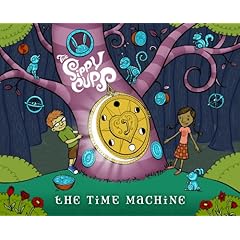
The Sippy Cups join Eric Herman as the only (as far as I know) kindie rock bands to venture into the iTunes app store. The Sippy Cups iPhone app is rather well executed with videos, photos, blog, concert listings and, best of all, puzzles. The 4 puzzles available right now feature some sweet artwork, including the cover of the band's latest release Time Machine.

Best of all, this suckers free of charge. Go get it now.


*Pay no attention to the 12+ rating in the iTunes Store. I've seen nothing that would justify that.

22 August 2009

The Beatles, blah

Move over John, Paul, George and Ringo! You and your Beatles Rock Band are great and all but you've got nothing on LEGO people. Coming this fall, Lego Rock Band!

(this video is a slow grower...stick with it until the more familiar "Rock Band" bits come in)


08 August 2009

iStoryTime iPhone App for Kids

There's been a fair amount of hubbub in the press recently over how much time, if any, a child should have with their parent's iPhone. Generally speaking, I'm anti-electronic devices for kids, but even I enjoy letting the Bear and Mouse handle my 1st generation iPhone occasionally. They play a variety of kid-friendly apps that I've selected, downloaded and tested. They do this in the home only, laying in bed or sitting next to dad during a televised sporting event. They never touch the thing in the car, in a restaurant or anywhere else outside the home.

Excessive use of such toys outside of the house is the main reason for my negative view of handheld devices (and in-car DVD players for that matter). I think that kids need to keep their heads up. That's a broad, slightly vague statement, I know. What I mean is this: young people need to develop observation skills. They need to learn how to participate in a conversation over a meal. These are skills I feel modern children lack, and I blame those freakin' portable games...and the parents who roll over.

So we practice responsible iPhone-ing. The Bear loves eBook apps best of all. Her current favorites are all from the application developer
iStoryTime. Their book "Wiener Dog Magnet" is one of the funniest little stories I've seen/heard/read. It ever gets old - the Bear & I crack up everytime we read/hear it. In "Wiener Dog Magnet" we see what happens when a cute little monkey named Kiki Marie buys a magnet shaped like a Wiener Dog. A brilliantly funny book that works so very well as an iPhone app.

iStoryTime apps cost $1.99 each, which may seem high in a world where most apps are $.99. However, considering
you'd spend $10 or so for a kid's book on CD, the $2 ends up being a fair price for a combination audio book and visual picture book. Unlike other kiddie book apps we've tried, the iStoryTime books provide for 2 distinct narrator options, an adult or a young girl. The latter makes the books extremely engaging, as her cadence and pacing of the stories is wonderful. Our fondness for the iStoryTime apps may boil down to them having a child-as-narrator. That young lady is outstanding.

iStoryTime has a handful of quality eBook apps available right now, with tons more on the way (including a story of Kirk Gibson's HR in the '88 World Series - one of my fave childhood memories that still gives me goosebumps). While none of the others we own are quite as awesome as "Wiener Dog Magnet", they're still rather enjoyable.

Here are the others we like:
"Binky the Pink Elephant" tells the story of why it's important to be yourself and not go out of your way to blend in with the crowd. Although it's a theme that has been done before, it is one that really can't be stressed enough for young people (and homogenized adults as well).

"Go Out! Go Out!" encourages kids to get outside and smell the smells, see the sights that the world has to offer. A worthwhile message told with clever rhymes and interesting illustrations.


Check out the iStoryTime site, where you can listen to all the titles I've discussed here and get a taste for the bounty of new eBook offerings coming soon.

02 July 2009

OWTK Reviews iPhone Apps for Kids - Part 3

Alright, alright. I've heard from enough folks that want to discover more cool kid-friendly iPhone applications that I decided to compile another list of OWTK tested and approved applications. Here's a fun little 4-pack for y'all!
(Revisit my previous reviews of iPhone Apps for Kids)


Toon Tango ($.99) - think of a slimmed down, portable Jib Jab. Toon Tango allows users to carve out, with just your finger, a face (or any area) of an existing or new photo and place that cutout on to one of 4 dancing bodies. Choose from a cheerleader, police officer, sumo wrestler or Vegas-era (read: glammed, up chubby) Elvis. It's a pretty fun and easy to use app but Toon Tango needs more cartoon choices, more control over the figure's movements (touching the screen seems to change the dance moves but there is no menu or list of options to know what you are doing or capable of doing). Toon Tango also needs to add the ability to share your dancing cartoon with friends via email/SMS (the app promises this capability is coming soon via a free update). Even with some fixable flaws, Toon Tango is a humorous way to spend a buck and entertain your kids...and yourself.


Think Fast ($.99) - this is the 1st math app/game we've ever tried. I downloaded Think Fast thinking the Bear could use it to sharpen her skills but even on the easy setting the complexity of the problems (after the 1st 2 levels) and overall speed of the game make it impossible for her to play (without losing all confidence in herself). I actually enjoy the game myself, even when I must calculate 867 + 946 (a typical equation in the 10th round of the easy level) and do so swiftly. It's fun to see the on-screen monsters gobble up the candy after a correct or incorrect answer (too many wrong answers and the little red guy will grow to eat the green dude, thus ending the game). My father used to dazzle me with his ability to calculate numbers similar to those in his head and spit out an answer...a correct one to boot! I sorta take pride in mimicking his off the cuff mathematical ability and Think Fast is a nice iPhone app that will help me stay sharp as my mind slowly slips away.


Blowfish (free) - If the Mrs. has stolen my iPhone, which happens more than I'm comfortable with, she's probably playing one of two games: Flight Control or Blowfish. Blowfish is a very simple game in which you must hold down your finger to inflate blowfish, enough of 'em to fill up a good portion of the screen. The catch? Little purple urchins that will poke and deflate your good guys while they're expanding. Blowfish is addictive but has one major flaw, well two actually. The thing that agitates the Mrs. is the inability to pick up where you left off. Once you die, you start from scratch. There are no saved levels or anything like that. Also, the game gets a bit repetitive. The makers of Blowfish would be well served in mixing it up in the later rounds, even if it's just a new look for the blowfish...something, anything to make the game progress more interestingly. Still, the Mrs. has been trying to get past level 8 for weeks now and to this point hasn't become frustrated enough to quit her Blowfish habit. Simply put, it's free and it's fun. The Mouse liks to make Mommy and Baby Blowfish, with no concern for the competitive nature of the app. Your kids will really enjoy Blowfish, go get it.


iKids Play "Maybe We Are Flamingos" ($2.99) - Previously, I reviewed iKids Play's "Caterpillar's Dream", a similar 5-in-1 storybook app. Back then, there were just two different iKids Play iPhone storybooks...now there are 8! "Maybe We Are Flamingos" by Safari Sue Thurman follows the same concept with a 5-activities-in-1 reading app for youngsters. The story of 2 young not-yet-pink flamingos is cute and enjoyable and the coloring book/read along/painting options are just as pleasing as they are on "Caterpillar's Dream". The iKids Play franchise makes terrific use of the iPhone's inherent portability, sensitive touch screen and it's alternative use as a powerful learning tool for families comfortable with their kids using their precious devices. The price seems steep, at first, but consider the typical $9.99 price tag of those kid's book/CD combo packs and the $3 for an iKids Play app may turn into a bargain, especially considering you get the chance to use this app as a coloring/painting tool and a voice recorder as your child reads along with the story. I'd love to see a subscription service or some multiple-app discount for returning iKids Play customers looking for the newest read along book Apps.

19 June 2009

Perfect Baby iPhone App Review

A while back I reviewed a dozen or so family-friendly iPhone apps here and here. With zillions of more applications being released everyday there could be (and quite possibly are) blogs dedicated solely to the critique of such high tech diversions. I've been downloading and enjoying numerous new ones since those two articles but to this point I've decided not to take up additional space on OWTK with reviews of them (although Blowfish and Flight Control are loads of fun).

One app that was brought to my attention recently is the clever, easy to use Dad's Perfect Baby. It reminds me a bit of the popular site Jib Jab, only without the full motion video capability. What Dad's Perfect Baby does is allow you to create goofy pictures and E-cards with your photo library on (or by taking new photos with) your iPhone.

Go crazy superimposing your kid's faces onto silly cartoon bodies or create sharp looking E-cards, for new Baby or any number of other templates, with multiple photos. The E-Cards are rather easy to compose, I made one with old photos of the Mouse in just a minute or two, and are even easier to share with friends by saving them to your library then emailing just like you would with any other photo.


The editing capabilities used to carve out the desired area of the faces in the Themes for Dad section of the app are fantastic. The response to touch is flawless and it's easy enough for my 5 year old to work herself.
The app isn't perfect though. It could certainly use a more robust selection of E-Cards and templates, but those are things that can be taken care of with future updates.

To celebrate Father's Day AirGini, the makers of Dad's Perfect Baby, are having a one-time sale from 6/19 to 6/21. The app, originally priced at a hefty $2.99, is going to be a more reasonable 99 Cents from today through the end of the weekend.

23 March 2009

Sony Dream Machine - the Perfect CD/Clock Radio for Kids

Unwilling to purchase an iPod + docking station for two kids under 5 years old, we've been through A LOT of Clock Radios for both the Bear and the Mouse. They've all broken down in some form or fashion: stopped playing CD-Rs (which is what we use mostly, making mixes for dancing/sleeping/etc), clock getting stuck with a faded, blinking 12:00, and other maladies that have all ended with a radio in the trash. In general we have dealt with more than our fair share of poorly made products.

The best of the bunch, in performance and price, has been the Sony Dream Machine. The newest version of the Sony Dream Machine offers a sleek design with large, easy to manage buttons affording kids the independence they often desire as they work the controls themselves. In addition to playing our CD-Rs, it also has an iPod input in the front and comes complete with a little white jack for it.


We have two Dream Machines now. One has been in use for 9 months or so and the other for about 3 months. Both continue to work well despite relatively heavy use and being mostly kid-controlled. Not bad for a device priced under $40.

04 March 2009

OWTK Reviews iPhone Apps for Kids - Part 2

...and here is the 2nd and final installment (for now) of OWTK's iPhone Apps for Kids Review. Miss Part 1? No worries, get caught up by clicking here.

Signing Time! ($9.99) - At ten bucks, Signing Time! is by far the most expense app I've ever purchased. My girls have recently become addicted little ASL students thanks to a single Signing Time! DVD and this app is the perfect on-the-go compliment to the video instruction. The Signing Time! App features flippable flash cards that allow you to take your ASL studies with you. A vibrant picture of a word or action is on one side and Rachel Colman's instructions are on the other, simply touch the screen to toggle between the two. A 3-10 second video clip of the sign is also available from the flash card screen for each and every sign, along with 3 music videos. I'm hoping that, for a 10 dollar app, more music and more words/signs are added in future updates. Overall, this is a wonderful app with more educational value than your average iPhone app (see "iFart").

iFluff (free) - a scaled-down, free webkinz/Nintendo DS' "Nintendogs"-esque game that is okay for about 5 minutes. After your child pets their frog/dog/cat/penguin/etc, feds him or her, wins a race, and buys some more food the animal will likely scoff at after eating, your kid will get bored of iFluff much like the Bear did. Yes, it's free so there is no downside but expect to delete this one shortly after downloading it.


iKids Play ($2.99) - A very creative application for kids that marries 5 function in one, all centered around a story. Kid's can have a book read to them as the pages turn on the screen, they can read the story themselves while recording their voice, color the pages or rub the pages clean (displaying the images underneath). There is also a blank canvas painting option. Currently there are two apps to purchase, each offering the same concept with a different story. OWTK purchased The Catepillar's Dream and is very pleased with it. Because there are so many things to do, including the ability to record your child reading aloud (with no time limit) as the words appear on the screen. Unlike most adults, the Bear loves to hear her own voice as she reads aloud.


iSteam (free) - a clever little app that lets you mimic the fun of writing your name and drawing pictues on foggy car windows or a shower door. With iSteam you blow into the iPhone microphone to steam up pictures from your own photo library. Pretty fun for a free app, if only for the neat ability to create steam by blowing into a phone.


ESPN Cameraman (free) - This is one of the 1st apps I downloaded and still is one of the Bear's favorites. Just recently they added a deluxe version that certainly sounds impressive (I haven't yet upgraded). This is a sports themed game where you must find 5 differences between 2 nearly identical photos while you race against the clock. 1 problem with the free version is the lack of photos.
You play ESPN Camerman 10-20 times and you will start to see the same images over and over again. The deluxe package claims to include a lot more photos and the ability to select certain sports or just avoid others (in case you don't want your kiddo to see boxing pictures, for example). You can also play this game over at ESPN, on your computer.

iHandy Level (free) - maybe they didn't plan for it, but the handy level makes a neat tool for little kids pretending to be repairman and woman (as the Bear does). It's also just a hoot for youngsters to make the bubble in the center swim back and forth across the level itself. So, not only is this useful for adults, it can be a nice distraction for the kiddies as well ("go check that all the dressers are level, honey!").

20 February 2009

OWTK Reviews iPhone Apps for Kids - Part 1

I've had my iPhone for about 17 months and, save for battery strength, I'm still madly in love with it. The Bear loves it now as well. Ever since the launch of 2.0 I've been slowly collecting cool iPhone apps, mostly free ones, and letting the Bear play from time to time. It occurred to me that maybe other parents are wondering what apps would be perfect for their kids. For the purposes of this piece, assume I'm writing for ages 3-7.

While there is not a shortage of opinions on these apps (just see the thousands upon thousands of reviews in the
iTunes store), getting pointed reviews for just how easy/hard/scary/dumb it is for a 5 year old may be tougher to come by. So here are my quick hitting reviews of a baker's-half dozen applications. Expect Part 2 with another 6 or so Apps very, very soon.

TRACE (free) - this is, right now, the Bear's favorite game. It is painfully simple, yet so incredibly creative and fun for both adults and kids. You basically draw/erase lines to help your stick figure character get across each screen. The game requires some simple planning, good timing and fine motor skills. It's 120 levels will keep you interested for a while and progressively get harder. Trace offers a cool challenge for young kids. Cannot recommend this one enough.


WHACK 'EM ALL! (free) - the free version of the classic arcade game provides 5 levels of fun, with added touches of complexity as you move along. Straight forward gaming, you must tap (I'd suggest you avoid literally whacking your iPhone) the moles while avoiding the cats. As you progress, the grass around the holes gets taller and new creatures to whack are added. Whack 'em All's quality graphics, ease of play and perfect touch-sensitivity make this one of the better free games on the market. The App Store suggests this game for ages 9+, but this one is really perfect for most kids ages 6+. While kids 4-5 may enjoy the first level or two, the speed of the game advances to a point where they will find it tough to continue. Also available in a more-expanded edition for a buck.


Subway Shuffle Lite (free) - talk about a neat challenge for your little ones! The concept here is to move the subway cars along their specific lines in the attempt to get your red car to the desired station. This one gets very hard to figure out as you advance; we haven't been able to finish the last two free levels. Subway Shuffle builds up your confidence early on before crushing you like a bug later on. A great game for kids who like to think a few moves ahead (young chess players would probably excel here). The Bear, age 5, completed more than half of the free levels without parental assistance. 10 Levels total, of varying difficulty, are included in the free version, but 75 more can be had by paying $2.99.


Up There ($1.99) - the Mrs.' favorite game at the moment but way too fast moving for the Bear. There is a practice mode that is marginally slower. However, the developers could do us a solid by making an "easy" setting that would allow younger folks a legitimate chance of moving their balloon through the openings in the ceiling, attic, trees, etc. A fun, addictive game with a nice soundtrack and high-quality visuals. Although in it's present form, kids under 6 may find this game maddening because of the speed of the game.

Up There Gameplay Video from Veiled Games on Vimeo.

FS5 Air Hockey (free) - very realistic air hockey game that can be played in two person mode, solo vs. computer or remotely against another iPhone user. True to life air hockey sounds and bounces make this a sweet little free game to pass the time. Turn off instant replay though, it's just a frustrating stoppage in action. Air Hockey offers good lessons in geometry as the puck dings and clanks off the boards. There are ads that pop up at the start, kinda annoying but nothing super intrusive.


Flick Fishing ($.99) - The best fishing game for the iPhone, hands down. Play for fun or compete against the computer or others remotely in Big Catch (most fish in lbs.) or Big Fish (biggest single fish) tournaments. Collect trophies and show off your big catches via email to your friends. Superior graphics and a whole lot of fun. Easy to cast (a real-life motion that MAY be a hazard if you don't have a rubbery sleeve on your phone - be careful) and reel for kiddies (at least in the shallow water where the fish aren't strong enough to snap the line). The Bear loves showing off her pikes, catfish and carps!


Koi Pond ($.99) - the first app I ever bought for the Bear. She still enjoys dipping her fingers in the water, feeding the Koi by shaking the iPhone and now loves to listen and watch the rain splash in the pond (new with the current update). A beautiful looking and sounding application. While it's not a game at all, it's subtle, lovely and fun in short spurts. Koi Pond is sort of a classic, if you will, in the short lived iPhone app era.


Part 2 of OWTK's iPhone Apps for Kids Review was posted on 3/4/2009. Go there now!